
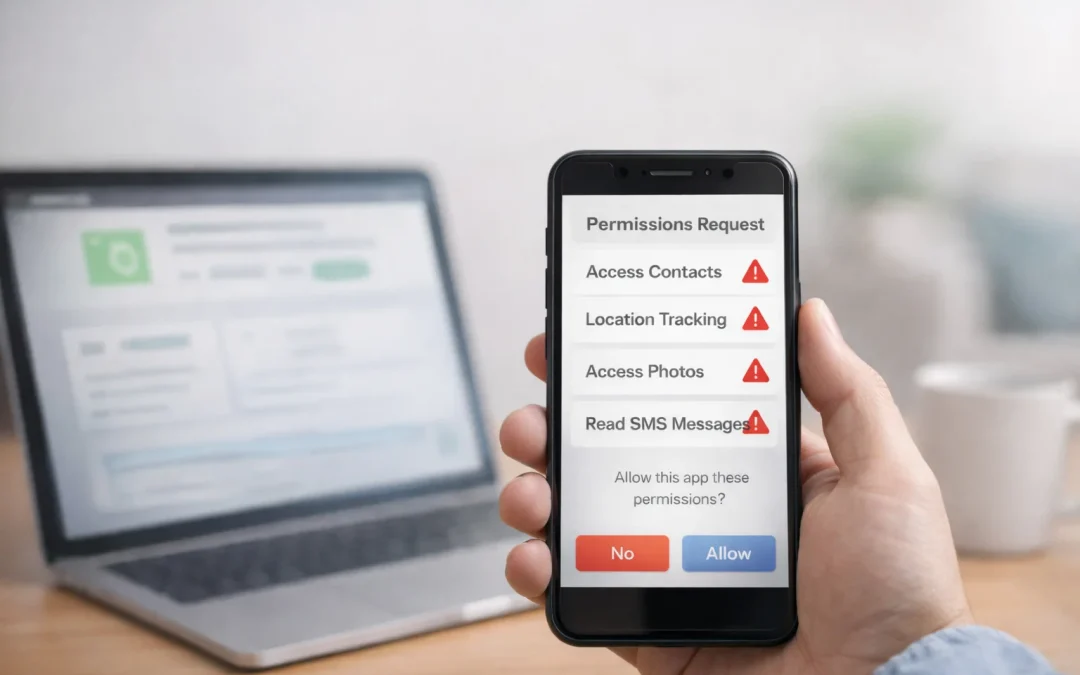
Yes, apps that pay can be used safely, but you should avoid giving them permissions that expose your sensitive data or allow ongoing tracking. In general, be very cautious with permissions for location, contacts, SMS, phone, storage, and accessibility services, especially when they are not clearly required for the app’s core function. These apps work best for people who are comfortable with basic privacy settings and only need small side income, not a primary job. A key limitation is that some apps quietly collect more data than you expect, so you must actively manage what you allow.
Table of Contents
- Quick Summary
- How Money-Making Apps Use Permissions
- Permissions You Should Usually Avoid
- Permissions That Are Sometimes Necessary
- Risk vs Reward: Is the Data Access Worth It?
- Hype vs Reality With Money-Making Apps
- Who These Apps Work Best For
- Who Should Be Very Careful or Avoid Them
- Scam and Abuse Awareness
- Frequently Asked Questions
Quick Summary
- Most money-making apps request permissions to track activity, show ads, or verify tasks.
- The main advantage is easy, low-skill side income from your phone.
- The main limitation is increased data collection and potential privacy risk.
- Realistically, you earn small amounts, so risky permissions are rarely worth it.
How Money-Making Apps Use Permissions
Apps that pay you for surveys, games, walking, or watching videos usually rely on permissions to track what you do and confirm that you completed tasks honestly.
For example, a walking app may ask for location or motion data to verify your steps. A survey app may request basic profile information to match you with relevant surveys. A rewards app that pays you for watching videos may use device identifiers to limit fraud and show targeted ads.
On both Android and iOS, apps must request permission the first time they want access to sensitive data or features. You can usually allow, deny, or allow “only while using the app.” Many people tap “Allow” quickly to start earning, without checking whether the permission is truly necessary.
Legitimate apps typically explain why they need each permission in their description or within the app. Less trustworthy apps may ask for broad access without a clear reason, often to collect extra data for advertising or resale.
Permissions You Should Usually Avoid
Some permissions carry higher privacy and security risks than others, especially when requested by low-paying or unknown apps. Below are the main ones to treat with caution.
1. Full Location Access (Especially “Always Allow”)
Many apps ask for your location, but “always-on” location tracking can build a detailed map of where you live, work, and spend time.
- Avoid: “Allow all the time” or background location for simple survey or rewards apps.
- Risk: Long-term tracking can be used for targeted ads, profiling, or data resale.
- When it might be needed: Step-counting or walking apps that verify distance, but even then, prefer “while using the app” or motion sensors instead of GPS when possible.
2. Contacts Access
Some apps ask to read your contacts to “find friends” or give referral bonuses.
- Avoid: Granting access to your entire address book for small rewards.
- Risk: Your friends’ names, emails, and phone numbers can be uploaded and used for marketing or matching across services.
- Better option: Share your referral link manually instead of syncing contacts.
3. SMS (Text Messages) and Call Logs
Access to SMS and call logs is highly sensitive and rarely needed for legitimate earning apps.
- Avoid: Apps that want to read your SMS or call history to “verify” your account or “improve security.”
- Risk: Reading verification codes, private messages, and who you call or text.
- Exception: Some financial apps use SMS for one-time verification, but they usually do not need ongoing SMS access.
4. Phone Permission (Making and Managing Calls)
Phone permissions can reveal your phone number, network, and call status.
- Avoid: Apps that want to “make and manage phone calls” without a clear, direct reason.
- Risk: Potential misuse for spam calls, tracking, or device fingerprinting.
- Note: Most survey, game, and rewards apps do not need this permission at all.
5. Broad Storage Access (Photos, Media, Files)
Some apps request access to your photos or files even when they only need to store simple data.
- Avoid: Granting full photo or file access if the app does not clearly need to upload or save images.
- Risk: Apps could scan metadata, read documents, or access private images.
- Safer approach: Use “select photos only” or deny storage access unless you are uploading proof of tasks.
6. Accessibility Services
Accessibility permissions allow apps to see what is on your screen and even control parts of your device. They are powerful and intended for assistive tools, not typical earning apps.
- Avoid: Any money-making app that asks for accessibility access to “automate tasks” or “boost earnings.”
- Risk: Screen reading, keylogging, and potential account takeover.
- Red flag: If an app promises higher rewards in exchange for enabling accessibility, treat it as high risk.
7. Notification Access for “Monitoring” or “Automation”
Some apps ask to read your notifications to track other apps or confirm actions.
- Avoid: Notification access for generic rewards or cash-back apps that do not clearly need it.
- Risk: Reading private messages, OTP codes, and app alerts.
- Legitimate use: Limited cases like receipt-scanning apps that detect purchase emails, but even then, weigh the benefit carefully.
Permissions That Are Sometimes Necessary
Not all permissions are bad. Some are reasonable when they match the app’s core function and are clearly explained.
1. Basic Profile and Demographic Information
Survey apps often ask for age, gender, location (country or region), and interests.
- Reasonable use: Matching you with relevant surveys and preventing fraud.
- What to avoid: Apps that push for highly sensitive data like full address, Social Security number, or detailed financial account numbers for basic surveys.
2. Approximate Location (City or Region)
Some apps pay differently by country or need to know your region for offers.
- Reasonable use: Country-level or city-level location for survey targeting or local offers.
- Safer setting: “Approximate location” or manual country selection instead of precise GPS.
3. Motion Sensors for Fitness or Walking Apps
Apps that pay you for walking or fitness often use motion sensors or step counters.
- Reasonable use: Access to motion data to verify steps.
- Better than: Constant GPS tracking, which is more invasive and battery-heavy.
- Related reading: You can see how walking apps work in more detail in guides to apps that pay you for walking.
4. Camera Access for Proof of Tasks
Some apps pay you to scan receipts, take photos of products, or verify visits.
- Reasonable use: One-time camera access to capture a receipt or product image.
- What to watch: Apps that want continuous camera access or ask to upload documents with sensitive information visible.
Risk vs Reward: Is the Data Access Worth It?
Most money-making apps pay small amounts: a few cents to a few dollars per task. That means you are often trading meaningful data access for very modest rewards.
When an app asks for a risky permission, ask yourself:
- How much can I realistically earn from this app each month?
- Does this permission clearly match what the app claims to do?
- Would I be comfortable if this data were shared with advertisers or data brokers?
- Can I use a similar app that needs fewer permissions?
If the app pays only a few dollars per month but wants constant location, contacts, and SMS access, the tradeoff is usually not worth it. You can often find alternatives that pay similar amounts with less intrusive tracking, such as apps that focus on surveys, watching videos, or simple tasks without deep device access.
Paid surveys and rewards apps can be a reasonable way to earn small amounts of extra cash, but they rarely justify giving up highly sensitive permissions like contacts, SMS, or full-time location tracking.
Hype vs Reality With Money-Making Apps
Online, you will often see claims that certain apps can replace a full-time job or pay hundreds of dollars per day just for using your phone. These promotions rarely mention the level of tracking or permissions involved.
In reality, most users earn small side income: a few dollars here and there for surveys, games, or walking. Many apps require consistent use, and some have minimum cash-out thresholds that delay payment. When you factor in the data they collect, the value proposition becomes more modest.
Yes, money-making apps can generate small amounts of extra income, but they are rarely a full-time income source and should be treated as side earners, not primary jobs.
If you are looking for realistic ways to earn small amounts quickly, it can help to compare different options, such as surveys, micro-tasks, or simple phone-based methods. Resources on how to make $20 today or how to make money using only your phone can give you a broader view of what is possible without overexposing your data.
Who These Apps Work Best For
Apps that pay can be reasonable for certain types of users, as long as permissions are managed carefully.
- Students and part-time workers who want small, flexible income during downtime.
- People comfortable with basic privacy settings who will read permission prompts and say no when something looks unnecessary.
- Users who mainly want low-skill, phone-based tasks like surveys, watching videos, or simple games.
- People who understand the tradeoff between data collection and small rewards, and are okay with limited earnings.
Money-making apps can be a simple way to earn a bit of extra cash from your phone, but they work best for people who treat them as a side activity and actively control which permissions they grant.
Who Should Be Very Careful or Avoid Them
Some people are less likely to benefit from these apps, especially if they are not comfortable managing privacy settings.
- People who need stable, full-time income should not rely on low-paying apps as a main source of money.
- Anyone uncomfortable with data tracking may find the required permissions too intrusive.
- Users who click “Allow” without reading are at higher risk of oversharing sensitive information.
- People with highly sensitive contacts or work (for example, in legal, medical, or security fields) should be very cautious about apps that request contacts, SMS, or call logs.
If you fall into these groups, it may be better to focus on other earning methods that do not require installing multiple tracking-heavy apps. You can also review whether money-making apps are safe to use on your phone in more depth before committing.
Scam and Abuse Awareness
Beyond legitimate apps that simply collect a lot of data, there are also outright scams and abusive apps that misuse permissions.
Red Flags to Watch For
- Upfront fees or “activation” payments just to access tasks or surveys.
- Promises of very large earnings (for example, hundreds of dollars per day) for simple actions.
- Requests for highly sensitive personal information such as full ID numbers, bank logins, or credit card details for basic tasks.
- Fake payment proof screenshots that look copied, blurred, or inconsistent with real payment platforms.
- Pressure to enable dangerous permissions like accessibility services or SMS access in exchange for “boosted” earnings.
Practical Safety Steps
- Check reviews from multiple sources, not just the app store page.
- Search the app name plus words like “scam,” “review,” or “payment proof.”
- Start with minimal permissions and only add more if you clearly see why they are needed.
- Regularly review your phone’s permission settings and revoke access for apps you no longer use.
- Prefer well-known apps or those recommended by reputable review sites over unknown clones.
Legitimate money-making apps should never require you to pay upfront, hand over highly sensitive personal data, or enable extremely powerful permissions like accessibility just to earn small rewards.
Frequently Asked Questions
Are money-making apps safe if I manage permissions carefully?
They can be reasonably safe if you only use reputable apps, deny unnecessary permissions, and regularly review what each app can access. The main risk comes from granting broad permissions to low-quality or unknown apps.
Which permissions are the riskiest to allow?
The riskiest permissions are usually full-time location, contacts, SMS, call logs, accessibility services, and broad storage access. These can reveal a lot about your personal life and can be misused if the app is not trustworthy.
Do survey apps really need my location?
Many survey apps need your country or region to match you with relevant surveys, but they rarely need precise, always-on GPS. When possible, use approximate location or manually select your country instead of granting full location access.
Can I earn decent money without giving many permissions?
You can earn small side income from surveys, watching videos, or simple tasks with limited permissions, but the earnings are usually modest. If you want higher income, you will likely need to look beyond basic reward apps to other online or offline work.
Is it safer to use these apps on iPhone or Android?
Both platforms have permission controls, but the exact options differ. What matters most is how you use those controls: read prompts carefully, deny unnecessary access, and uninstall apps you no longer trust or need.
What should I do if I already gave too many permissions?
Go into your phone’s settings, review app permissions one by one, and revoke anything that seems unnecessary. If an app looks suspicious or keeps asking for more access, uninstall it and consider changing passwords for important accounts.
Where can I find apps that pay without extreme tracking?
Look for well-reviewed survey, video, or task apps that clearly explain what they collect and why. Guides to apps that pay real money without watching ads or similar curated lists can help you compare options with more transparent practices.
Overall, apps that pay can offer small, flexible income from your phone, but the benefit is limited and rarely justifies handing over broad, sensitive permissions. The main value is convenience and low barriers to entry, not high earnings. These apps are best for people who want light side income and are willing to manage privacy settings carefully. If you need substantial, stable income or are uncomfortable with data tracking, you are better off focusing on other earning methods that do not depend on aggressive permissions or constant monitoring.

Madison researches legitimate ways to make money online, focusing on surveys, apps, and beginner-friendly income methods. Her goal is to provide clear, realistic guidance without hype.